

.blog Academy → Step 7: Website Experience & Visual Flow
→ Step 7B: Community Journey
Designing a space that invites connection, participation, and return visits.
When your goal is to build a community, your blog stops being just a place to publish — it becomes a place to gather.
People don’t only come to read.
They come to feel part of something.
They come to return, respond, and engage.
Good UX for a community-focused blog isn’t about polish or performance.
It’s about making people feel welcome, seen, and oriented — every time they arrive.
Let’s look at how to shape your blog to support that.
1. Design for return visits, not just first impressions
Unlike a first-time blogger, community builders care less about a perfect introduction and more about ongoing interaction.
Ask yourself:
- Can someone quickly see what’s new since their last visit?
- Is it obvious where conversations are happening?
- Does the site feel active and alive?
For many community blogs, a dynamic homepage works especially well — it signals momentum and gives returning readers something fresh to engage with right away.
2. Make it obvious how people can participate
If you want community, you need to make participation visible and easy.
That doesn’t mean pushing people to engage — it means clearly showing them how they can take part.
Depending on your setup, this might include:
- comments that are enabled and easy to find
- prompts at the end of posts (“What do you think?” / “Share your experience”)
- invitations to contribute ideas or stories
- occasional guest posts or shared perspectives
- subtle social sharing buttons or links, so readers can pass content along
These elements aren’t about promotion — they’re about signalling openness.
They tell readers:
“This isn’t a broadcast. You’re welcome here.”
If people have to hunt for ways to engage, most won’t.
Good community UX gently answers the question:
“How can I be part of this?”
A classic example of this kind of community-first UX is stackoverflow.blog.

The experience is built around contribution — asking questions, sharing knowledge, responding to others — and the interface makes those actions immediately visible and easy to understand.
You don’t need to replicate something this complex, but the principle is the same: participation is never hidden.
3. Use categories to signal shared interests
Community thrives around common ground.
Instead of organising content purely by format, think in terms of themes your community cares about.
For example:
- Experiences
- Questions
- Resources
- Conversations
- Events
These might live as categories, tags, or curated collections — not necessarily top-level menu items.
The goal isn’t complexity.
It’s recognition.
When people see content that reflects their interests, they feel they belong.
4. Create familiar paths for your readers
Communities grow when spaces feel predictable in a good way.
That could look like:
- recurring post formats
- weekly or monthly features
- ongoing series
- regular community check-ins
UX supports this by making those patterns easy to find and follow.
Consistency builds trust.
Trust builds participation.
5. Use images and visuals to reinforce belonging
For community-focused blogs, visuals aren’t just decoration — they’re emotional cues.
Consider:
- photos of people, not just things
- consistent visual style across posts
- imagery that reflects shared values or experiences
- screenshots, notes, or behind-the-scenes moments
These elements humanise your blog and make readers feel closer to you — and to each other.
6. Make navigation feel inviting, not hierarchical
Community spaces shouldn’t feel rigid or corporate.
Instead of complex menus, aim for navigation that feels open and exploratory.
You might include:
- a “Start Here” or “Join the Conversation” page
- a highlighted category for ongoing discussions
- a page that explains how your community works
The goal is orientation, not control.
7. Acknowledge new members gently
In any community, there are always newcomers.
Good UX quietly supports them by answering:
- What is this space about?
- How do people interact here?
- Where should I start?
This might be a short intro section, a pinned post, or a welcome page — nothing heavy, just enough to help people feel comfortable.
8. Think about the emotional experience
Community UX is as much emotional as it is practical.
Ask yourself:
- Does this space feel warm or intimidating?
- Does it encourage conversation or passive consumption?
- Does it feel human?
If your blog feels like a place where people would enjoy spending time — they will.
9. Leave room for the community to shape the space
The strongest communities aren’t over-designed.
They evolve.
Leave space for:
- feedback
- suggestions
- new formats
- new voices
Your UX should be flexible enough to grow alongside the people who show up.
You can see this kind of evolving, people-first approach in communities like thrivetogether.blog, where the structure supports connection, shared learning, and member-led growth over time.
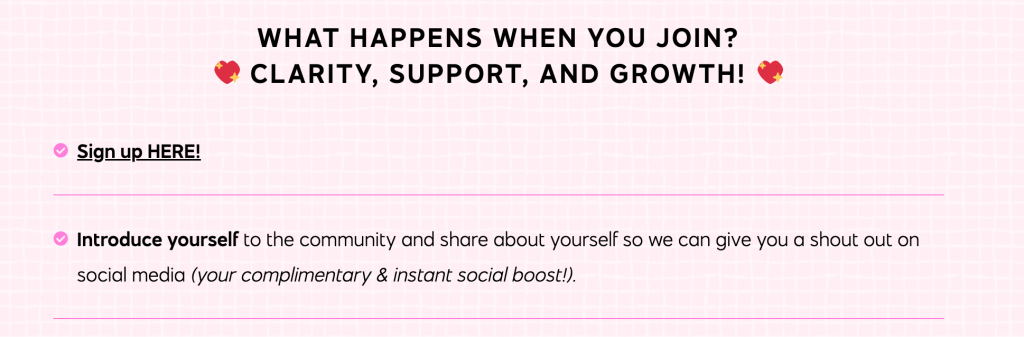
The design doesn’t try to control every interaction — it creates space for the community to shape itself.
Your Turn
1. Identify where interaction happens.
Is it comments? Email replies? Social channels?
Make those paths visible.
2. Review your categories or tags.
Do they reflect shared interests — or just content types?
3. Look at your homepage as a returning reader.
Can you immediately see what’s new or active?
4. Add one small invitation to engage.
A question, a prompt, or a call to participate is enough.
Up Next in the .blog Academy
Next, we’ll shift from experience to visibility.
Step 8 is all about getting found online — exploring how people discover blogs, what channels to consider, the role of search and social, and how to grow beyond your existing circle.


 Knock Knock WHOIS There